GPS Live Tracker: Locate Phone
- 3.8
- Rating
- 500.00K
- Installs
- Free
- Price

 Analysis by App-foxy
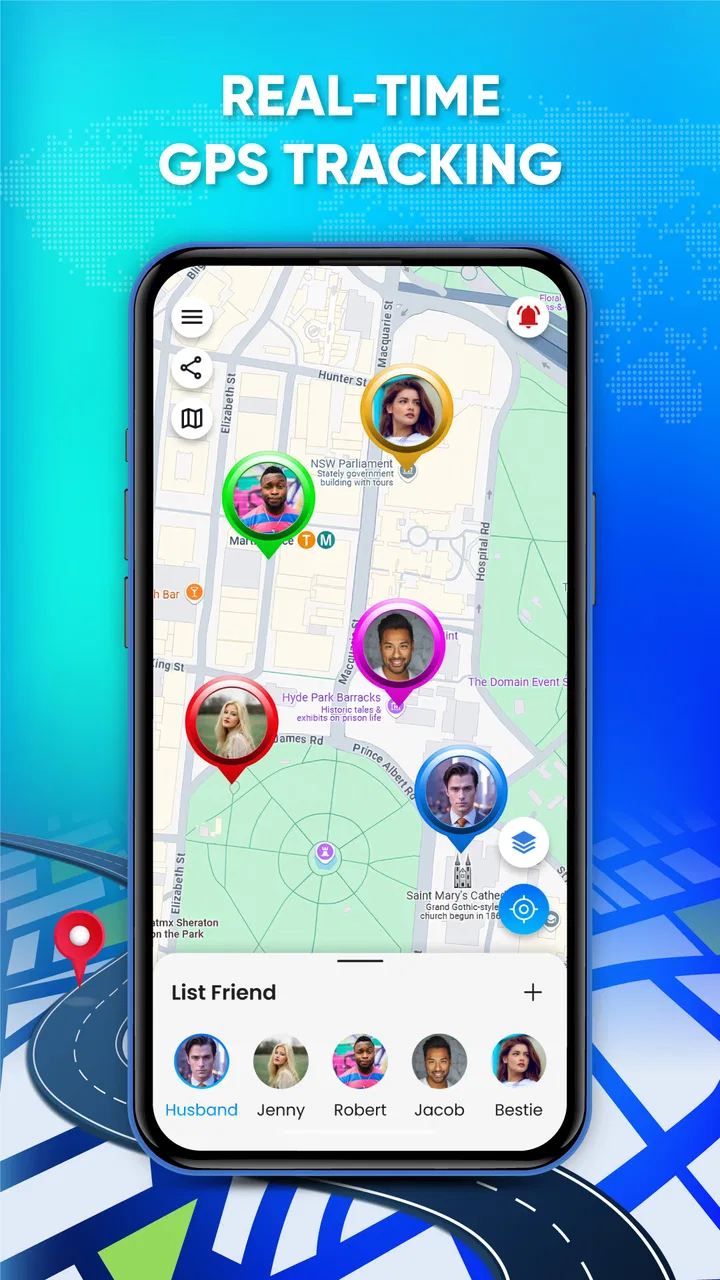
When I tested GPS Live Tracker: Locate Phone, I approached it less like a conventional map and more like a practical location tool for moments when people need to coordinate. It sits in the Maps & Navigation category and is published by African Humanitarian Relief Aid. The idea is straightforward: use a phone’s GPS position to help with navigation, tracking, and exploring. That makes it potentially useful in a household, on a shared trip, or whenever one person needs a clearer sense of where a device is.
My first impression was that the app is aimed at quick, direct location awareness rather than the broad ecosystem offered by major mapping platforms. It is free to install, rated for Everyone, and supports phones running Android 7.0 or later. The current release is version 0.1.5, so I would treat it as a relatively focused tool rather than a fully mature replacement for every navigation service already on a phone.
How it fits into shared household use
The most convincing use case is a shared-device situation where everyone agrees on how the tracker will be used. Imagine a household preparing for a busy day: one person is driving, another is waiting at a meeting point, and a third is carrying the phone that needs to be located. In that setting, a live GPS tool can reduce the repeated “Where are you now?” messages and make coordination more practical.
You May Also Like

 Blood Strike: 2.5 Anniversary
Blood Strike’s Loadouts Turn Every Drop Into a Tactical Gamble
A close look at Blood Strike’s custom loadouts: how fast access to signature weapons reshapes its battle royale rhythm, rewards preparation, and narrows the gap between fights.

 Pandora - Music & Podcasts
Pandora’s Music Is Easy to Start, but Harder to Recover
Pandora’s strength is its low-effort path from a seed to a station. Its weak spot is how much confidence it asks you to place in connection, setup, and quiet recovery.

 8 Ball Pool
 Is Built on Rivalries, Rematches, and Routine
A close look at the rivalries, rematches, shared routines, and unanswered safety questions that turn a quick pool match into a persistent mobile community.

 Samsung Music
’s Quiet Strength Is Playing What You Already Own
Its reach comes less from spectacle than from dependable access to a personal library. That simplicity is both the app’s strongest retention engine and its ceiling.

 AccuWeather: Weather Radar
AccuWeather Review: A Quick, Clear Forecast for Everyday Decisions
For everyday plans, the best forecast is the one you can understand quickly. AccuWeather makes rain timing, radar, and local conditions easy to act on, with a few trade-offs.

 Hill Climb Racing
Why Hill Climb Racing Still Turns Crashes Into One More Run
A tiny car, a bumpy hill and one more upgrade: Hill Climb Racing keeps resurfacing because its simple chaos makes every near-miss feel personal.
More From Our News Desk



I can also see value during a family outing, a community activity, or a journey through an unfamiliar area. A person carrying the tracked phone can concentrate on moving safely while another household member checks the location when necessary. That is different from using a map only to find a street: the useful part here is the possibility of following a device’s current position as plans change.
There is an important distinction, though. This is a phone-location utility, not a substitute for communication. A map position does not explain whether someone is delayed, has taken a detour, or needs help. I would still use a call or message for decisions and emergencies. The tracker is best viewed as a shared reference point that supports a conversation, not as a silent replacement for one.
For a shared tablet or spare phone, the app may be useful when that device travels with a group. The household should decide in advance who is allowed to view or use the location. That simple agreement matters more than the installation itself because a location tool becomes confusing when several people handle the same device without knowing whose position is being displayed.
What I would clarify before installing it
Before relying on the app, I would check three practical things on the actual device: whether location is enabled, whether the phone has a usable connection for the app’s live behavior, and whether the battery has enough charge for the trip. GPS tools can be perfectly functional and still disappoint when the phone is indoors, surrounded by tall buildings, in a poor-signal area, or running low on power.
I would also decide which phone is the source of the location and which person is simply using the information. That boundary prevents a common household mistake: assuming that installing the same app on several phones automatically creates a shared family view. I would not make that assumption. Instead, I would test the intended arrangement with the people involved before leaving home.
Another useful preparation step is to give each device a clear role. A parent’s everyday phone, a child’s phone, and a shared vehicle phone may all be present in one home, but they are not interchangeable. Labeling the situation verbally—“this is the phone we are following today”—makes the app easier to use and avoids treating every visible device as if it were part of one coordinated account.
The app’s free entry point makes that trial less intimidating, although in-app purchases range from $9.99 to $24.99 per item. I would be careful about moving beyond basic testing until I understood exactly which optional functions were relevant to my household. A free installation does not mean every possible capability has the same cost, so I would review any purchase screen rather than tapping through it automatically.
Coordination works best with a simple routine
In everyday use, I would keep the workflow deliberately small. First, the person carrying the phone confirms that location is active. Next, the other person checks the displayed position before making a plan. Finally, both people use a message or call to confirm the meeting point. This three-step routine is more dependable than staring at a moving marker and guessing what it means.
For a school pickup or a busy public place, the app could help with the last part of the journey. One person can remain at a known entrance while the other approaches, reducing unnecessary wandering. I would still choose a fixed, visible meeting point because GPS positions can be approximate and may not identify the exact door, floor, or side of a large building.
For road trips, I would use it as a coordination aid between vehicles only if everyone understands its limits. A live position can show relative progress, but it does not guarantee that two cars will arrive together. Traffic, stops, route changes, and signal interruptions still require normal planning. The app is more useful for deciding whether to wait or continue than for promising an exact arrival time.
One non-obvious advantage of this kind of focused tool is that it can keep the task mentally narrow. A full mapping platform often combines directions, businesses, traffic, saved places, and other information. That is excellent when I need a complete travel plan, but excessive when I only need to understand where a device is. For a quick household check, a simpler location view may be easier to interpret.
The trade-off is that I would not expect the same depth as a major navigation service. If my priority is turn-by-turn driving, transit planning, business discovery, traffic conditions, or a large collection of saved places, I would choose the established map app already built around those jobs. GPS Live Tracker: Locate Phone makes more sense when the central question is about a phone’s position rather than the entire journey.
Account boundaries deserve attention
Household use becomes complicated when several people assume they have identical access. I would keep the account and device arrangement as clear as possible: the owner of the phone should know what is installed, the person checking the location should understand what they are seeing, and nobody should treat another adult’s location as automatically available just because they share a home.
This is especially important with shared phones. If a device changes hands during the day, the displayed position may belong to whoever is carrying it, not to the family member someone expected to follow. That sounds obvious, but it is an easy source of mistakes during errands, travel, and pickup arrangements. I would confirm the carrier before acting on the map.
I would also avoid installing the app on another person’s phone without a direct conversation. Location information affects privacy and trust, even in close families. A transparent arrangement is easier to maintain than a hidden one, and it gives everyone a chance to understand when the tool is being used and for what purpose.
The same principle applies to in-app purchases. If a child uses a shared device, I would make sure the adult responsible for the account knows that optional items may be offered. The app is labeled for Everyone, but an age-appropriate content rating does not remove the need for household rules around purchases, device access, or location sharing.
Age, trust, and realistic expectations
The Everyone rating makes the app approachable from a content perspective, but I would separate that from the question of whether every child is ready to use a location tracker independently. A younger user may understand the map but not understand why location accuracy changes, why a phone can appear stationary, or why a tracker should never replace contacting a trusted adult.
For older children and teenagers, the conversation should focus on trust rather than constant observation. I would explain the purpose in plain language: the tool is for coordinating a trip or checking a device when agreed, not for turning ordinary movement into a permanent interrogation. Clear limits—when the location is checked, who can see it, and when the arrangement ends—make the technology less intrusive.
Adults should receive the same respect. Shared household use does not automatically create shared ownership of everyone’s movements. If two adults are coordinating travel, both should know the arrangement. If one person is uncomfortable, a normal call or agreed meeting location may be a better solution than forcing a tracking workflow.
There is also a safety boundary worth stating clearly. I would not use a location display as proof that someone is safe. A phone can be left in a car, lose power, remain behind, or show an outdated position. In a genuine emergency, I would contact emergency services or a trusted person directly instead of relying on the app as the only source of information.
Where it feels useful and where alternatives win
With an average rating of 3.8 from around 791 ratings, the app has attracted meaningful interest without presenting itself as flawless. Its reach is also notable, with over 500K installs. I read those figures as signs that people are willing to try a focused GPS tracker, not as a guarantee that it will fit every phone, household, or travel style.
Compared with a normal map application, its appeal is the narrower purpose. I would open it when I want a location-focused view and do not need a large collection of travel features. That can make a quick check less distracting. On the other hand, a conventional map remains the better choice for planning a route, comparing roads, finding a business, or understanding the surrounding area.
Compared with a dedicated family-location service, I would be more cautious about assuming a complete household system. Those services typically shape their experience around groups, permissions, alerts, and ongoing sharing. I would not presume that this app provides the same structure. If my family needs a carefully managed circle with detailed controls, I would choose a product explicitly designed for that purpose.
Compared with sending a live location through a messaging app, this tracker may appeal when location is the main task rather than one part of a conversation. Messaging is often faster for a one-off meeting because everyone is already communicating there. A dedicated tracker becomes more attractive when the household wants a repeatable location workflow and is willing to establish its own rules around use.
One practical test I recommend is to try the app during a short, low-pressure outing before depending on it for an airport transfer, long drive, or child pickup. Watch how quickly the displayed position changes, how understandable the screen feels, and whether the people involved can coordinate without confusion. That test tells me more than an installation count because it reflects the exact phones, signal conditions, and habits in my household.
My household verdict
After looking at it as a shared-use tool, I see GPS Live Tracker: Locate Phone as a reasonable option for people who want a focused way to coordinate around a phone’s GPS position. Its free installation, Everyone rating, and support for Android 7.0 or newer make it easy to consider for a trial. The developer, African Humanitarian Relief Aid, has put forward a compact navigation utility rather than an all-purpose travel platform.
I would recommend it to a household that can agree on a clear device, a clear purpose, and a clear person responsible for checking the location. It could be handy for meeting up, following progress during a group outing, or keeping track of a shared phone during a planned activity. The best results will come from pairing it with ordinary communication and a fixed meeting plan.
I would skip it if I needed advanced family management, detailed navigation, dependable emergency protection, or a complete replacement for a mainstream map service. I would also skip it for secret monitoring or for any situation where the people involved have not agreed to the arrangement. Those are not problems a GPS interface can solve.
My final view is positive but measured: this is a useful experiment for location-focused coordination, not a magic answer to household safety or travel planning. Start with a short test, keep account boundaries visible, explain the arrangement to every user, and do not spend on optional items until the basic workflow genuinely helps. Used with those expectations, it can earn a place among the tools I keep ready for shared trips and everyday coordination.
FAQs for GPS Live Tracker: Locate Phone
01What is GPS Live Tracker: Locate Phone used for?
GPS Live Tracker: Locate Phone is designed to help users view and share real-time location information through GPS. It can be useful for keeping track of family members, coordinating with friends, finding a device’s reported location, or monitoring a journey. Its usefulness depends on accurate GPS data, a stable internet connection, and the necessary permissions being enabled on the phone.
02Does GPS Live Tracker: Locate Phone track a phone without the owner knowing?
No legitimate tracking app should be used to secretly monitor another person. GPS Live Tracker: Locate Phone generally requires location access and, depending on its features, the other user may need to install the app, grant permission, or share their location. Always obtain clear consent before tracking someone, and avoid using the application for stalking, hidden surveillance, or any activity that violates privacy or local laws.
03Does the app require an internet connection and location permission?
Yes, the main tracking features normally depend on both GPS and an active internet connection. GPS determines the device’s position, while mobile data or Wi-Fi allows that information to be updated and shared. Users must also grant location permission, and some functions may work more reliably when background location access is enabled. Accuracy can decrease indoors, underground, in dense cities, or when battery-saving settings restrict the app.
04Is GPS Live Tracker: Locate Phone free to download and use?
The application may be available to download at no initial cost, but users should carefully review its store listing before installing it. Some features can be limited behind subscriptions, in-app purchases, advertising, or usage restrictions. Check the current pricing, trial conditions, renewal terms, and cancellation instructions on Google Play or the App Store, since availability and costs may vary by country and may change over time.
05How accurate is the location shown by GPS Live Tracker: Locate Phone?
The displayed position should be treated as an estimate rather than a guaranteed exact point. Accuracy depends on the phone’s GPS hardware, signal strength, Wi-Fi and mobile networks, indoor conditions, weather, battery level, and permission settings. Location updates may also be delayed if the device is offline or the app is closed. For safety-critical situations, users should contact emergency services instead of relying only on the app.
Pros
- Live location sharing is useful for coordinating trips and meetups.
- The interface is simple enough for most users to navigate quickly.
- Location updates can provide reassurance during outdoor activities.
- It may help families keep track of agreed contacts in one place.
- Useful as a backup tool when meeting someone in an unfamiliar area.
Cons
- Accurate tracking depends heavily on GPS
- mobile data
- and battery level.
- Continuous location sharing can drain the phone battery noticeably.
- Privacy depends on how carefully sharing permissions and links are managed.
- Indoor locations and dense urban areas may produce delayed or imprecise results.
- Some useful tracking features may require subscriptions or in-app purchases.

GPS Live Tracker: Locate Phone
Gallery